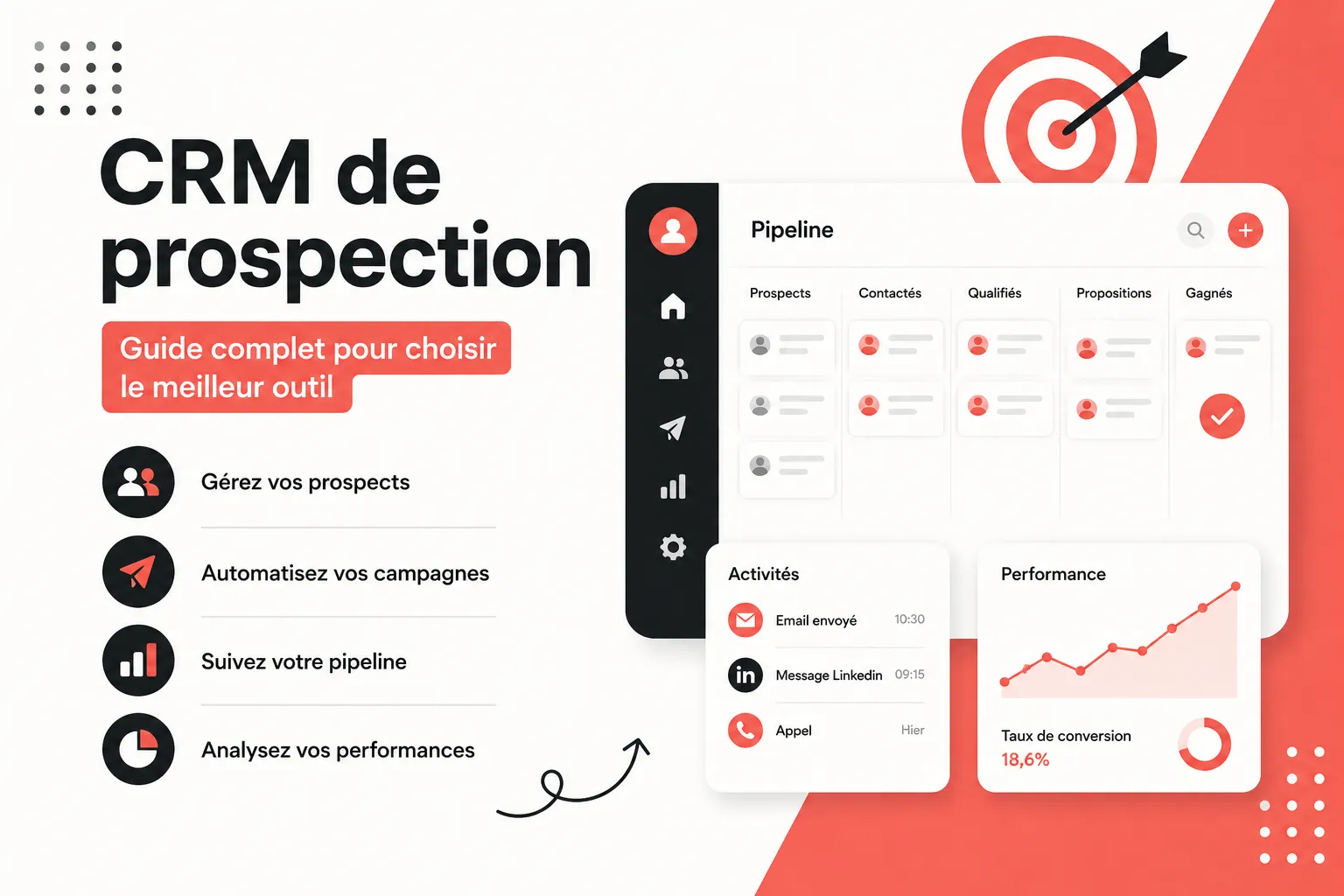
B2B sales prospecting has changed dramatically. Gone are scattered Excel files, forgotten follow-ups, and Linkedin conversations buried deep in your inbox. Today, high-performing sales teams rely on centralized prospecting software to manage leads, automate campaigns, and monitor their sales pipeline in real time.
But what exactly is a prospecting CRM? How does it differ from a traditional CRM? And, most importantly, how do you choose the right solution when there are so many options available?
This guide answers all these questions, from the fundamentals to advanced selection criteria, with concrete examples for every type of sales team.
What Is a Prospecting CRM and What Is It Used For?
A prospecting CRM (Customer Relationship Management) is customer relationship management software designed to structure, automate, and optimize all sales activities related to acquiring new customers. Unlike a general-purpose tool focused on retaining existing customers, a prospecting platform is primarily designed for the pre-sales phase: identifying qualified prospects, contacting them, following up, and converting them into customers.
In practical terms, this type of solution allows you to:
Centralize all prospect and contact data in a single database
Track every interaction (emails, calls, Linkedin messages, and other messages) in a consolidated history accessible to the entire sales team
Launch multichannel outreach campaigns from the same interface
Visualize and manage your sales pipeline at every stage of the sales cycle
Automate repetitive tasks (follow-ups, reminders, lead assignment)
Analyze sales performance through dedicated dashboards and reporting
Segment prospects according to specific criteria (industry, company size, geographic area)
In short, good prospecting software transforms a chaotic sales process into a structured and predictable conversion machine. It becomes the core of an outbound strategy, whether you rely on cold email, Linkedin prospecting, or outbound calling.
Is Prospecting Included in a CRM?
The answer depends entirely on the solution you choose.
General-purpose platforms such as Salesforce or HubSpot are primarily built around customer relationship management and sales pipeline tracking. They include prospecting features, but these are often limited or require additional paid modules. For outbound teams actively focused on acquisition, these tools can be oversized and expensive.
Prospecting-focused solutions such as Centra, on the other hand, are built around the needs of outbound teams: creating prospect lists from Linkedin, enriching contacts, launching email and Linkedin sequences, and managing the pipeline - all within a single tool without third-party integrations. Sales prospecting is not an optional module; it is at the heart of the product.
If your business relies on actively acquiring new customers (cold email, Linkedin prospecting, outbound calling), a B2B sales prospecting tool will generally be more suitable than an oversized general-purpose CRM.
What Are the 4 Types of CRM?
To choose the right software, you first need to understand the four main CRM categories available on the market.
1. Operational CRM
This is the most common type. It automates everyday sales processes: managing prospect and contact records, tracking opportunities, sending emails, automating follow-ups, and assigning leads to sales representatives. It is the foundation of an effective prospecting platform and the first category outbound sales teams should evaluate.
2. Analytical CRM
Focused on data analysis, it produces advanced reports on sales performance: conversion rates, number of leads generated, prospecting campaign ROI, and revenue growth. It helps sales managers make strategic decisions based on real data rather than intuition.
3. Collaborative CRM
It facilitates information sharing between sales, marketing, and support teams. Customer and prospect data is shared across the team, preventing information silos and duplicate prospecting while providing a unified 360° view of every contact.
4. Strategic CRM
It takes a long-term view of customer relationships by aligning prospecting, conversion, and retention within a single platform. It is generally intended for large organizations with complex sales cycles and advanced sales management processes.
For founders, SDRs, agencies, and outbound teams, an operational CRM with analytical and collaborative capabilities is generally the most relevant choice, provided it natively integrates modern prospecting channels such as Linkedin and email.
What Are the Key Features of a Prospecting CRM?
Contact, Lead, and Prospect Management
This is the foundation of any sales tool. The platform should make it easy to create, import, and organize your prospect database with comprehensive information: contact details, company, industry, communication history, and position in the sales cycle. Custom fields and the ability to segment contacts using tags, lists, or statuses are essential for adapting your sales activities to each target.
Sales Pipeline and Opportunity Tracking
A good prospecting tool displays your pipeline in either Kanban or list view, with each stage of the sales cycle clearly identified. You can see at a glance how many opportunities are awaiting initial contact, currently being negotiated, waiting for follow-up, or ready to close. This precise deal tracking allows sales managers to identify bottlenecks and anticipate future revenue. Centra offers this feature, for reference.
Multichannel Outreach Campaigns
Modern sales prospecting is multichannel. The solution should allow you to launch automated sequences combining email and Linkedin from the same interface, without switching between multiple tools. The best platforms also offer message personalization using dynamic variables, tracking of open, click, and reply rates, and conditional logic (if opened → send a different follow-up).
Native Linkedin Integration
Linkedin has become the primary channel for B2B prospecting. A modern prospecting tool should provide a Chrome extension that allows you to add profiles directly from Linkedin, synchronize conversations and DMs, and perform sales actions without leaving the platform. Without this integration, you waste valuable time every day on copying, pasting, and duplicate data entry.
Data Enrichment
There is little point in having a great prospect list if you are missing professional email addresses or direct phone numbers. Built-in enrichment features automatically complete missing information from reliable databases, without requiring you to export your prospecting file to a third-party tool.
Unified Inbox
All your emails and Linkedin DMs in one place, visible to the entire team. No more conversations lost in a personal inbox or an inaccessible Linkedin account. A centralized inbox gives every sales representative access to the latest communication history with a prospect, prevents duplicate outreach, and enables effective collaboration on strategic accounts.
Automation of Repetitive Tasks and Sales Automation
Follow-up reminders, automatic lead assignment based on predefined rules, notifications when a prospect clicks or replies to an email, and multi-step sales automation scenarios: your software should free your team from low-value tasks so sales representatives can focus on relationships and conversions.
Sales Dashboards and Reporting
To manage your prospecting effectively, you need real-time key performance indicators: number of leads processed, response rate by channel, email open rate, pipeline progression, potential revenue, and performance by sales representative. A good sales dashboard gives you this visibility without having to export data to Excel or build manual reports.
Lead Scoring and Lead Prioritization
Lead scoring assigns a score to each prospect based on their level of engagement (email opens, clicks, replies, page visits). Sales representatives can then prioritize their efforts on the hottest leads instead of spending time on prospects who are not yet mature enough in their buying cycle.
How Does Prospecting Software Optimize Sales Activity?
The impact of a well-used prospecting platform can be felt at every stage of the prospecting process.
Before prospecting – building the prospect database: The tool structures your database and helps you target the right contacts with the right message. Segmentation by industry, company size, or geographic area, combined with automatic enrichment and lead scoring, ensures that your sales team focuses its energy on the most promising opportunities rather than prospecting blindly.
During active prospecting – outreach and follow-ups: Automated sequences ensure consistent follow-up without manual effort. A follow-up sent at the right time can make the difference between a lost prospect and a booked meeting. The tool records every interaction and contact attempt, ensuring that sales representatives always have the full context before writing or calling.
During negotiations – pipeline management: The sales pipeline provides a clear overview of every ongoing opportunity, the next sales actions to complete, and the deadlines to meet. Sales managers can manage their team in real time and anticipate obstacles before they prevent conversion.
Afterwards – analysis and continuous improvement: Reporting helps you identify what works (which channel, which message, which sequence, which sales representative) and continuously improve your approach. Teams that measure their conversion rates progress much faster than those relying on intuition.
How Do You Plan Prospecting Activities in a CRM?
Prospecting software is only effective when sales activities are planned in a structured way. Here are the key steps of a good prospecting plan.
Step 1: Define Sales Objectives and Identify Your Target
Before launching anything, clearly define your objectives (number of qualified leads, meetings booked, deals signed) and identify your ideal customer. Who is the target for your product or service? Which industry, company size, and job title? This definition determines all segmentation and personalization of your prospecting messages.
Step 2: Build and Enrich Your Prospecting Database
Import your existing contacts, add prospects from Linkedin or B2B databases, and automatically enrich missing information. A solution such as Centra allows you to create a clean list from Linkedin with one click, without copying and pasting into spreadsheets.
Step 3: Map the Sales Cycle in the Pipeline
Define the stages of your sales process: initial contact, qualification, follow-up, demo, negotiation, and closing. Every prospect should be precisely positioned within your sales funnel at all times, so the entire team knows the status of every opportunity.
Step 4: Launch Multichannel Prospecting Campaigns
Build sequences combining email and Linkedin activities. Define the number of touchpoints, the time between each step, and personalize messages according to the target segment. Schedule automatic follow-ups so that no prospect is left without contact, even when the sales team is under heavy workload.
Step 5: Measure, Analyze, and Optimize
Track key metrics in your dashboard: open rate, response rate, prospect-to-meeting conversion rate, average sales cycle length, and revenue generated per campaign. Identify the best-performing sequences and replicate them. Adjust messages that fail to generate engagement.
What Are the Benefits of Using Prospecting Software?
Significant time savings: Automating follow-ups and repetitive tasks frees up several hours per week for each sales representative - time that can be redirected toward relationships and converting qualified leads.
Higher conversion rates: Structured and personalized follow-up at every stage of the sales cycle increases the chances of turning a prospect into a customer without letting leads fall through the cracks.
Zero lost leads: No more prospects forgotten in an Excel file or an overflowing inbox - every opportunity is tracked until it is closed or explicitly abandoned.
Easier collaboration: The entire sales team has a shared view of prospects and communication histories, preventing duplicate outreach and inconsistencies in messaging.
Simplified sales stack: A good prospecting platform can replace several separate tools (emailing software, Linkedin sequences, enrichment tools, spreadsheets, Zapier), reducing costs and technical friction.
Data-driven management: Dashboards allow sales managers to identify bottlenecks, compare individual performance, and adjust their strategy in real time.
Easier GDPR compliance: Centralizing consent management and interaction history in a single tool helps maintain compliance with current B2B data regulations.
What Questions Should You Ask Before Choosing a Prospecting CRM?
With so many tools available on the market, here are the key questions to ask.
Do I Need Volume or Highly Targeted Prospecting?
Large-scale prospecting requires tools focused on automation and deliverability. Highly targeted prospecting (ABM, enterprise accounts) instead requires advanced personalization features and highly granular tracking of each key prospect.
What Is My Main Prospecting Channel?
Do you primarily prospect on Linkedin? Choose a solution with native Linkedin integration and a powerful Chrome extension. Do you run cold email campaigns at scale? Check its emailing, deliverability, and sending-domain management features. Do you combine phone calls and email? Look for a tool with VoIP integration.
Do I Already Have a Tool in Place?
If you already use HubSpot or Pipedrive, evaluate whether your new software can synchronize with them - or whether it would be better to consolidate everything into an all-in-one solution to simplify your sales stack and reduce overall costs.
Do I Need to Manage Multiple Client Workspaces?
For agencies managing prospecting for multiple clients simultaneously, it is essential to choose a platform that allows you to create separate workspaces with dedicated access rights for each client, without mixing data between accounts.
How Large Is My Sales Team?
A solo founder does not have the same needs as a team of 10 SDRs. Check limits on seats, monthly emails, and managed contacts according to the pricing plan. Anticipate your growth to avoid switching tools too quickly.
How Easy Is the Software to Use?
A complex software solution that the team does not adopt is less effective than a simple tool used every day. Prioritize an intuitive interface and test the tool with a free trial before committing to a subscription.
What Is the Best CRM for Sales Prospecting?
Several solutions are worth considering depending on your profile and needs.
HubSpot is the benchmark for teams looking for a complete CRM + marketing automation ecosystem. Its free offering is attractive, but costs increase quickly once advanced modules are activated, and its complexity can slow down small outbound teams.
Salesforce is the market giant, highly customizable - but primarily suited to large organizations with complex sales processes and dedicated IT teams. It is less suitable for startups and agencies that need to move quickly.
Pipedrive offers a highly intuitive visual pipeline and good deal management. However, its Linkedin and outreach capabilities remain limited without paid third-party integrations.
noCRM.io is designed to simplify prospect management without the complexity of a traditional CRM. It is well suited to small teams, but lacks native Linkedin integration and built-in enrichment features.
For teams that prioritize Linkedin prospecting - founders, SDRs, and outbound agencies - Centra stands out as the most coherent solution on the market. Built specifically for outbound teams, it brings together everything you need in a single tool.
Native Linkedin Integration
Add a profile or an entire list with one click through the Chrome extension, directly from Linkedin or Sales Navigator search results.
Unified Email + Linkedin Campaigns
Build multichannel sequences with conditions (if opened, if clicked, if replied) without switching between multiple tools.
Centralized Inbox
Manage all your Linkedin DMs and emails in one workspace, visible to the entire team to prevent duplicate outreach and maintain a complete communication history.
Built-In Enrichment
Find missing emails and prospect data without leaving the platform.
Multi-Workspace Management for Agencies
Each client gets their own workspace with their own lists, campaigns, and dedicated access rights.
VoIP Integration
Connect your outbound calling system directly to the platform.
One Subscription
One subscription replaces your CRM, emailing tool, Linkedin tool, enrichment software, and Zapier - at a significantly lower total cost than a fragmented sales stack.
Centra is available from €69/month for founders and freelancers (Solo plan), €119/month for outbound teams (Team plan), and €219/month for agencies with unlimited workspaces and seats (Agency plan). A 14-day free trial is available with no credit card required.
Can You Build a Prospecting CRM in Notion?
Technically, yes. It is possible to build a prospect tracking system in Notion using databases, prospect record templates, Kanban views for the pipeline, and sales activity tracking tables. Some founders and freelancers use this approach during the early stages of their business to avoid paying for a SaaS subscription.
However, the limitations quickly become apparent as prospecting volume increases: no native follow-up automation, no email or Linkedin messaging functionality, no synchronization with your email inboxes or Linkedin accounts, and a completely manual tracking process that becomes time-consuming as your prospect database grows.
Notion remains an excellent productivity and documentation tool, but it is not a viable replacement for a dedicated prospecting solution once you manage more than a few dozen active prospects or work as part of a sales team.
Real-World Examples of Prospecting CRM in Action
To illustrate the real impact of well-used prospecting software, here are three representative use cases.
An SDR on a sales team uses Centra to import a targeted list of 50 Linkedin prospects every morning with one click through the Chrome extension, automatically add them to a five-touch sequence (2 emails + 2 Linkedin DMs + 1 email follow-up), and monitor open and response rates in real time - with immediate notifications to react at the right moment. Result: 2 to 3 hours saved every day on manual prospecting tasks.
A solo founder manages their entire sales pipeline from Centra: from the Linkedin list to the signed contract, including outreach campaigns, automated follow-ups, and ongoing deal tracking. No more switching between an emailing tool, a Linkedin tool, and an Excel file - everything is centralized for less than €70/month.
An outbound agency manages eight clients in separate Centra workspaces, each with its own prospect lists, campaigns, and dedicated tracking. Each client can access its workspace to monitor progress in real time without seeing other clients' data. The agency team coordinates everything from a centralized dashboard.
Frequently Asked Questions About Sales Prospecting and CRM Tools
How Can You Improve Your Email Prospecting Response Rate?
The key is personalization and timing. A short, personalized subject line, a message that directly addresses a specific problem faced by your prospect, and a follow-up sent at the right time can dramatically increase response rates. Prospecting tools such as Centra allow you to monitor open rates in real time and automatically trigger a follow-up only if the prospect has not replied within X days - avoiding follow-ups that are too early or forgotten.
What Is the Difference Between Inbound and Outbound Prospecting?
Inbound prospecting attracts prospects to you through content, SEO, or marketing campaigns - they come to you themselves. Outbound prospecting is the opposite: you actively reach prospects through cold email, Linkedin, phone calls, or multichannel sequences. A prospecting tool such as Centra is designed for outbound: it helps you identify, contact, and convert prospects who do not know you yet.
How Do You Qualify Leads Before Adding Them to a Prospecting Sequence?
Qualification involves segmenting your prospect database according to criteria such as industry, company size, contact's position, and recent buying signals (fundraising, hiring, expansion). A good prospecting tool allows you to filter your database and trigger sequences only for profiles that genuinely match your ideal customer profile, preventing you from wasting your sending volume on unqualified leads.
Do You Need Separate Tools for Linkedin and Email, or an All-in-One Solution?
Managing several separate tools - one for email sequences, one for Linkedin, a CRM, and another for enrichment - creates friction, synchronization issues, and higher costs. For most outbound teams, an all-in-one solution such as Centra is much more efficient: one place to manage lists, email + Linkedin campaigns, enrichment, and pipeline tracking.