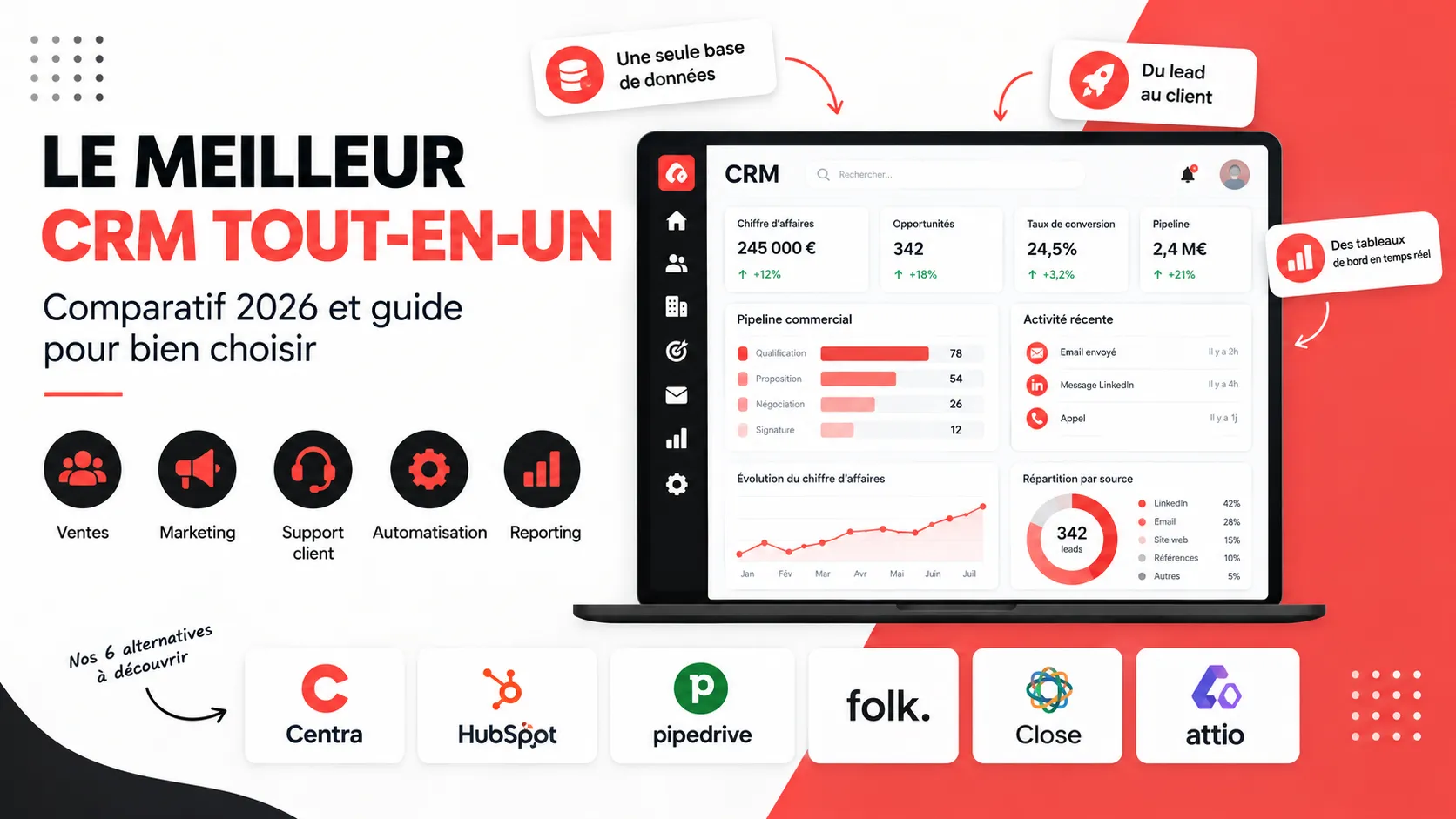
Multiplying tools to manage prospecting, sales, marketing, and customer service always ends up costing a lot: stacked subscriptions, data scattered across multiple software programs, manual synchronizations, and teams wasting time juggling between tabs. Hence the value of an all-in-one CRM, capable of covering the entire customer lifecycle from a single platform. But what is the best all-in-one CRM for your company? This comparison takes stock of what this term really covers, the features to demand, the most cited solutions on the market, and a more recent option tailored for outbound prospecting: Centra.
What is a CRM and what is it for?
CRM software (Customer Relationship Management) centralizes in a single database all information about your prospects and customers: contact details, exchange history, sales opportunities, quotes, invoices, support tickets. The goal is simple: to give every team – sales, marketing, or support – a single, up-to-date view of the customer, rather than scattered Excel files or information locked in a single employee's inbox.A CRM notably allows you to:
centralize interactions with customers and eliminate duplicates;
automate repetitive tasks: follow-ups, emails, lead assignment;
track the sales pipeline and make sales forecasts more reliable;
measure performance through reports and dashboards;
professionalize customer service with a history shared between teams.
What exactly is an all-in-one CRM?
An all-in-one CRM is a platform that brings together, under one roof, several components usually sold separately: sales management (contacts, pipeline, quotes, invoicing), marketing (campaigns, automation, lead nurturing), customer service (tickets, SLAs), and sometimes project management or prospecting. The idea is to eliminate silos between software and teams, avoiding the need to connect a CRM, an emailing tool, an invoicing software, and a support tool via third-party integrations that regularly break.Concretely, a good all-in-one CRM must tick several boxes:
Complete sales management: prospects, opportunities, pipeline, quotes, and invoices in the same tool.
Marketing features: email campaigns, lead scoring, automation of follow-ups.
Customer support: tickets, knowledge base, request tracking.
Frictionless automation between modules: an action in one module must be able to trigger a task in another, without re-entry.
Native integrations with the professional ecosystem: email, telephony, accounting, social networks.
The classic trap is confusing "all-in-one" with "feature-rich." Software that offers fifty modules but that no one knows how to configure isn't all-in-one; it's a complex stack. The real criterion is coherence: modules must speak the same language, share the same data, and remain simple to use daily.
Why choose an all-in-one CRM rather than several specialized tools?
Some companies prefer assembling several best-of-breed software programs, each excellent in its field, rather than a single suite. It's a valid choice, but it has a cost: more subscriptions to manage, more integrations to maintain, more risks that data becomes desynchronized from one tool to another. An all-in-one CRM meets specific needs:
Simplify the budget: a single subscription replaces several licenses, often for a lower total cost.
Reduce the administrative burden: fewer tools to configure, secure, and evolve.
Make data more reliable: a single source of truth, without risk of desynchronization between systems.
Accelerate onboarding: new hires learn one tool rather than four.
In return, an all-in-one CRM is sometimes less advanced on a specific module than a tool specialized in that same module. The right reflex is to identify your two or three priority needs and check that the platform really covers them well, rather than choosing based solely on the length of the feature list.
How to choose the best all-in-one CRM suited to your needs?
Start from your processes, not the feature list
Before comparing software, map your current customer journey: how a prospect enters your pipeline, what stages they go through, where you lose time or information today. This mapping will tell you whether you mainly need a classic sales CRM, an outbound prospecting tool, a marketing CRM, or a platform including invoicing.
Check the number of users and the pricing model
Most CRMs charge per user per month, which can quickly inflate the bill for a growing team. Others, like some more recent platforms, charge per workspace or per plan with unlimited users from a certain tier: a point to check precisely before comparing two displayed prices side by side.
Test onboarding with real users
An all-in-one CRM, however complete, is useless if sales teams don't use it. Favor a clear interface, request a free trial, and have the tool tested by the people who will use it every day, not just by management.
Look at the integrations actually available
An all-in-one CRM isn't meant to replace everything: it must still connect to your email, telephony, accounting, or social networks. Check for native connectors rather than generic promises of an open API.
Anticipate GDPR compliance
A CRM stores personal data: data hosting, encryption, access rights management, and ease of exporting or deleting data are criteria to check before signing, particularly for companies handling large volumes of European contacts.
How to choose the best CRM for your company?
There is no universal CRM that would suit all companies: the best CRM for your company depends on your size, your sector, and the way your sales teams work today. A young company managing a few dozen opportunities doesn't have the same expectations as a group that must connect its CRM to an ERP and dozens of business applications. Better understanding your needs before comparing offerings is therefore the most profitable step in the entire selection process: it avoids paying for unused features and missing a truly essential module, such as project management for an agency or contact enrichment for a prospecting team.
Top 10 best all-in-one CRM software
Here's an overview of the CRM software most cited by companies and consultants for their all-in-one approach, from the most generalist to the most specialized.
HubSpot: the all-in-one oriented toward inbound marketing
HubSpot unifies marketing, sales, and customer service within a single platform, with a free basic CRM and modular paid "Hubs" (Marketing Hub, Sales Hub, Service Hub). Its interface is simple and onboarding quick, making it a frequent choice for inbound-marketing-oriented SMEs. Prices, however, increase significantly as soon as you activate several Hubs and a large volume of contacts.
Salesforce: the complete and scalable suite
Salesforce remains the reference for large companies, with a suite covering sales, marketing, and customer service, and an ecosystem of several thousand complementary applications. Its power has a counterpart: a high cost and configuration complexity that often requires an integrator.
Sellsy: CRM, invoicing, and support combined
Sellsy combines CRM, quotes, invoicing, project management, and customer support in a single tool designed for the French market. It's a choice appreciated by very small businesses and SMEs that want to manage the entire customer relationship, from prospecting to collection, without changing interface.
Zoho CRM: the best features/price ratio
Zoho CRM appeals with its accessible pricing and its ecosystem of more than forty complementary applications (invoicing, support, marketing). It suits SMEs well that want a rich tool without a large-company budget, at the cost of an interface sometimes less intuitive than its competitors.
Creatio: the no-code all-in-one
Creatio combines CRM, marketing, customer service, and business process management (BPM) on a no-code platform, designed for companies that want to finely adapt their workflows without a dedicated developer.
Pipedrive: simplicity centered on the pipeline
Pipedrive focuses on a visual sales pipeline and very quick onboarding. Less "all-in-one" than the previous solutions, it remains a reference for sales teams that want a simple tool, possibly complemented by marketing or invoicing extensions.
Axonaut: the all-in-one management software for very small businesses
Axonaut positions its offering as a true management software rather than a simple CRM: sales tracking, quotes, invoices, accounting, project management, and human resources coexist in the same interface, at a price designed for very small businesses.
Monday CRM and Efficy: workflow flexibility
Monday CRM relies on a very visual interface and customizable workflows, close to project management, appreciated by teams that want to adapt each stage of their pipeline without technical skills. Efficy, a European vendor, offers a modular CRM platform capable of covering both sales and customer service for mid-sized companies.
Brevo (formerly Sendinblue): the accessible marketing and CRM duo
Brevo combines a simple CRM with marketing tools (emailing, SMS, automation) historically very popular with small businesses, with a free offering generous in number of contacts, making it a frequent entry point before migrating to a more complete tool.
Centra: an all-in-one CRM designed for outbound prospecting
Faced with these generalist suites, Centra adopts a different approach: rather than stacking modules to cover all possible uses, it brings together in a single tool everything a team needs to prospect effectively, from first contact to sale. It's an all-in-one CRM centered on outbound, meaning companies that go out and find their customers rather than waiting for inbound requests.Centra organizes work around three complementary pillars:
Find: prospect research via LinkedIn, French company registries, a Chrome extension, or importing your own files, with automatic enrichment of emails and phone numbers, and an AI agent that accelerates research.
Engage: multi-channel campaigns combining emails and native LinkedIn actions (invitations, messages, InMail) within multi-step sequences, without juggling between multiple automation tools.
Manage: contacts, companies, sales pipeline, tasks, and complete exchange history, centralized in one place, with a clear view of each opportunity's progress.
These three pillars rest on Memory, a context base that groups the company profile, ICPs (ideal customer profiles), and the team's playbooks, so that prospecting remains consistent from one salesperson to another rather than dependent on each person's memory. This is precisely what makes Centra an all-in-one CRM in the full sense of the term for this use case: it replaces in a single subscription a classic CRM, an emailing tool, a LinkedIn automation tool, and a data enrichment software, while avoiding back-and-forth in Excel files.On pricing, Centra offers a 14-day free trial with full access to the product, then three monthly plans: Solo at €69 for founders and independents who prospect on LinkedIn, Team at €119 with unlimited users in a single workspace for outbound teams, and Agency at €219 with unlimited workspaces and users for agencies managing prospecting for multiple clients. Unlike most CRMs billed per user, from the Team plan onward the whole team can log in at the same price, which changes the real cost calculation for a growing sales team.Centra isn't meant to replace a generalist CRM for a company whose main activity relies on inbound requests, structured customer service, or integrated invoicing: for these uses, a suite like Sellsy, HubSpot, or Zoho CRM will remain more suitable. But for any team whose growth depends on active prospecting, particularly on LinkedIn (founders, agencies, recruitment firms, training organizations, IT services companies, consulting firms), Centra is today one of the most accomplished all-in-one CRMs on the market, bringing together prospect research, multi-channel prospecting, and pipeline tracking in a single coherent platform.
What key features should a good all-in-one CRM have?
Beyond the major module families, several features make the difference between a truly accomplished all-in-one CRM and a suite that stacks poorly connected components.
Contact and account management: single customer record, complete interaction history, segmentation by sector, size, or status.
Visual sales pipeline: customizable stages, drag-and-drop opportunities, reliable sales forecasts.
Workflow automation: automatic follow-ups, lead assignment to the right salespeople, real-time notifications.
Integrated marketing: email campaigns, lead scoring, web forms, social media connection.
Project management: some all-in-one CRMs include a project or task management module to track execution after signing, useful for agencies and service providers.
Customization: custom fields, tailor-made workflows, dashboards adapted to each profile (salesperson, manager, management).
Artificial intelligence: email writing assistance, lead prioritization, automatic summary of exchanges. An increasingly present component, but one that doesn't replace the fundamentals.
Mobile app: for sales teams working in the field or on the move.
A good test is to ask whether each module really helps sales teams save time, or whether it's a gadget feature added to thicken the product sheet. An all-in-one CRM that responds well to your real needs is always better than comprehensive but underused management software.
What are the best CRM software for small and medium-sized businesses?
For a small or medium-sized business, the best CRM software isn't necessarily the one with the most features, but the one teams will actually use, with a controlled total cost over three years. SMEs generally benefit from favoring a CRM platform that's simple to deploy, with a free trial allowing validation of fit before committing, fluid data communication between sales and marketing modules, and automations that lighten administrative work rather than complicate it. It's often in this segment that the biggest gaps between vendors play out: some CRM software designed for large companies becomes difficult to configure for a team of five or ten salespeople, while more targeted solutions, like Centra for prospecting or Sellsy for complete customer relationship management, adapt better to the size and means of an SME.
All-in-one CRM and French CRM: should you favor a local solution?
Several French vendors, like Sellsy or Axonaut, highlight data hosting in France, native GDPR compliance, and French-language support. This is a serious argument for companies subject to sovereignty constraints or that want a local contact in case of problems. This doesn't mean an international vendor should be ruled out on principle: rather, check vendor by vendor where data is hosted and what contractual guarantees are offered, rather than relying solely on the brand's nationality.
Are there free all-in-one CRMs?
Some vendors offer a permanent free offering, like HubSpot CRM or Zoho CRM up to a limited number of users. Others, like Centra, offer a time-limited free trial (14 days) but with full access to the product, allowing real-world testing before committing. A free CRM is rarely all-in-one in the full sense: advanced features, automation, or large contact volumes are almost always reserved for paid offerings. It's nonetheless a good way to validate your needs before investing in a more complete plan.
How much does an all-in-one CRM cost?
The cost of an all-in-one CRM depends on three main factors: the number of users (or, depending on the vendor, the number of workspaces), the level of features activated, and deployment support. For an SME, generally expect between €15 and €60 per user per month for a classic suite billed per seat, or an equivalent fixed fee for solutions billed per team. Beyond the license, plan for configuration time, migration of existing data, and team training, often underestimated in the initial budget.
How to test an all-in-one CRM before committing?
Never sign an annual contract on the sole basis of a sales demonstration. Here's a simple method for comparing CRM software without being impressed by a feature list:
Shortlist two or three solutions based on your priority needs, not the entire market.
Request a demonstration based on your real use cases rather than a generic vendor scenario.
Open a free trial and have the tool tested by the salespeople who will use it every day, including the most skeptical.
Import a sample of your existing contacts to verify the quality of migration and data enrichment.
Check in real conditions the integrations you depend on: email, LinkedIn, telephony, or accounting.
Compare the total cost over three years, not just the price displayed the first year.
This testing step greatly reduces the risk of choosing an all-in-one CRM that's appealing on paper but abandoned by teams a few weeks after deployment.
Mistakes to avoid when choosing an all-in-one CRM
Choosing CRM software before having mapped your own sales processes.
Being seduced by the number of modules rather than their real daily use.
Underestimating configuration and training time, often longer than expected.
Ignoring the exact pricing model: per user, per workspace, or per contact volume.
Neglecting GDPR compliance and reversibility, meaning the ability to easily recover your data in case of changing tools.
Not involving sales and marketing teams in the final choice, even though they will be the first concerned.
What are the 5 best all-in-one CRM software to remember?
Among all the all-in-one CRM software presented in this comparison, five solutions stand out according to company profile and processes to cover:
HubSpot for SMEs oriented toward inbound marketing and quick onboarding.
Salesforce for large companies with complex processes.
Sellsy for French very small businesses and SMEs that want to combine CRM, quotes, invoicing, and support.
Zoho CRM for the best features/price ratio.
Centra for teams that do outbound prospecting and want to combine prospect research, multi-channel campaigns, and pipeline in a single tool.
Other CRM software like Axonaut, Monday CRM, Efficy, or Brevo can complete this list depending on whether you're looking for complete management software for a very small business, highly customizable workflows, or a free entry point before moving upmarket.
FAQ: best all-in-one CRM
What are the 3 types of CRM?
We distinguish operational CRM, which automates sales, marketing, and customer service processes; analytical CRM, which leverages data to produce analyses and forecasts; and collaborative CRM, which facilitates information sharing between departments.
What is the best French CRM?
Several French vendors stand out depending on needs: Sellsy for a complete CRM and invoicing suite, Axonaut for very small businesses, or Centra for French teams doing outbound prospecting on LinkedIn.
Is an all-in-one CRM suitable for a small business?
Yes, provided you choose a plan sized to the team. A small structure often benefits from favoring ease of onboarding and predictable pricing rather than an oversized suite it will only half exploit.
What are the 5 best CRM software on the market?
The CRM software most often cited as references are HubSpot, Salesforce, Zoho CRM, Sellsy, and Pipedrive, each designed for different companies and uses, from large groups to small prospecting-oriented structures.
What does a CRM concretely bring on a daily basis?
A CRM improves interactions with customers by giving every employee the same exchange history, which avoids repeating the same questions to a prospect or losing the thread of a negotiation when a salesperson changes position.
How does the implementation of an all-in-one CRM unfold?
Choosing the software is only half the journey: project success depends above all on deployment. Start with a limited scope, for example a single team or a single process, before generalizing to the whole company. Clean and deduplicate your data before importing it, train teams on concrete cases rather than a theoretical presentation of the software, and measure the adoption rate in the first weeks. An all-in-one CRM only keeps its promises if managers themselves use it to manage their activity, rather than reserving it for field salespeople alone.
IN BRIEF
The best all-in-one CRM isn't the same for all companies: HubSpot, Salesforce, Sellsy, and Zoho CRM remain solid references for covering sales, marketing, and customer service in a generalist suite. If your priority is active prospecting, particularly on LinkedIn, Centra offers a more targeted but equally all-in-one approach, bringing together prospect research, multi-channel campaigns, and pipeline management in a single tool, with a 14-day free trial to test it without commitment.